Video Watermark Remover Online
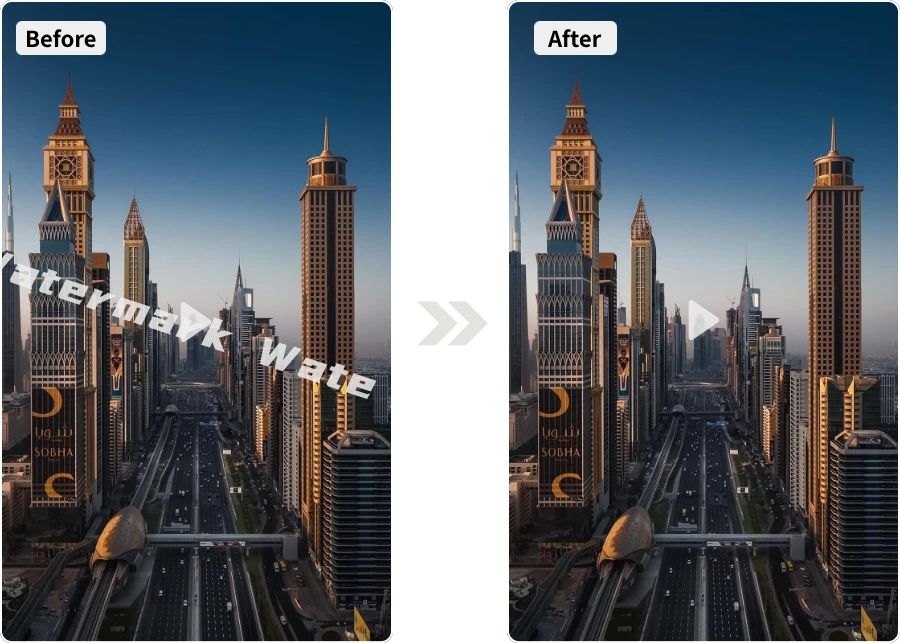
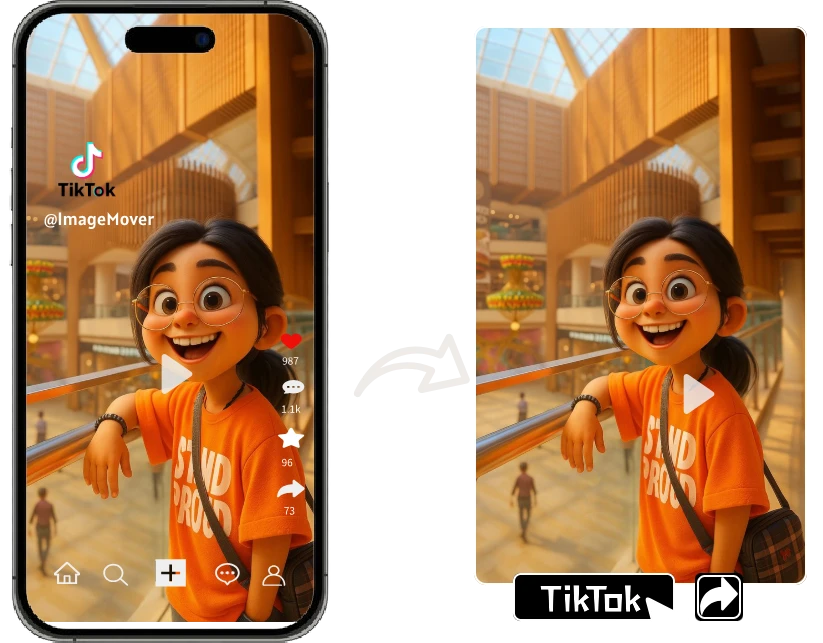
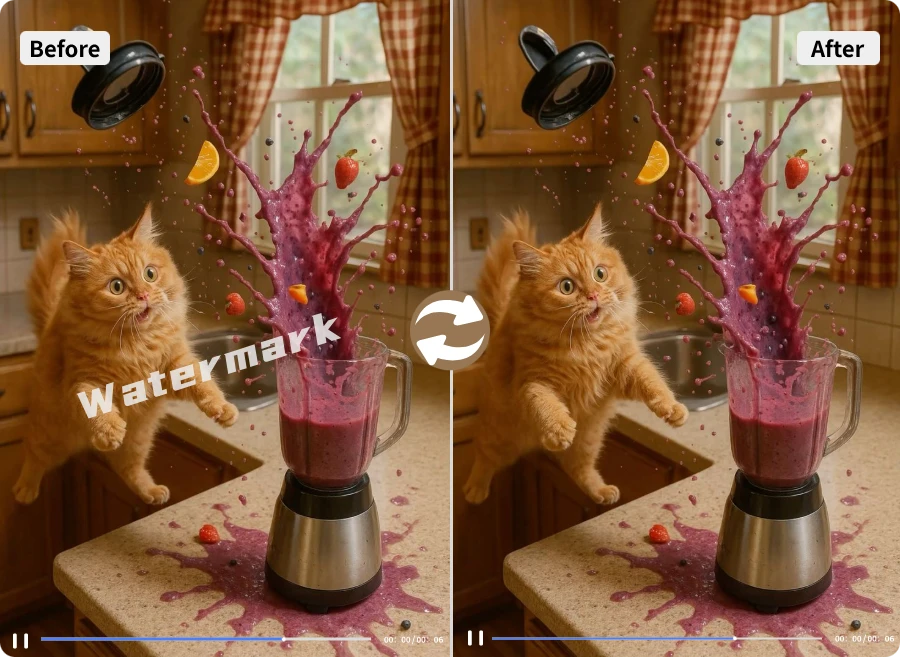
Tired of that pesky logo photobombing your masterpiece? With ImageMover, you can remove watermark from video in seconds—no editing skills required. Think of it as a digital eraser with a touch of magic: fast, clean, and seamless. Whether it’s a brand mark, timestamp, or unwanted text, say goodbye to distractions and hello to crystal-clear videos that are ready to share anywhere.

How to Remove Watermark from Video in 3 Easy Steps
Removing distractions has never been simpler. Just follow these three quick steps to remove watermark from video and get a clean, professional result in seconds

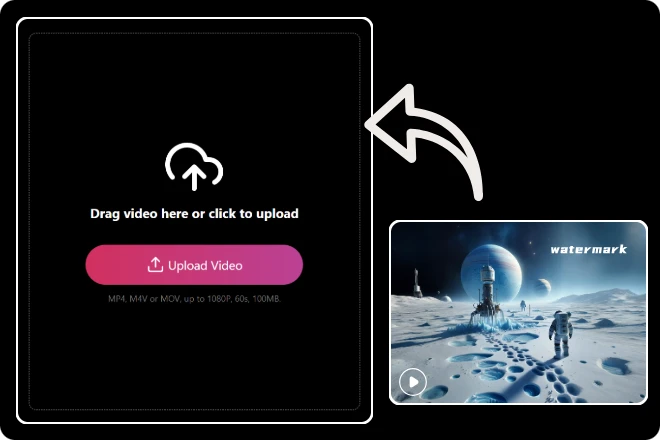
Step 1. Upload Your Video
Drag and drop your video file or select it from your device. Our tool supports popular formats like MP4, MOV, and AVI, so you can start right away.

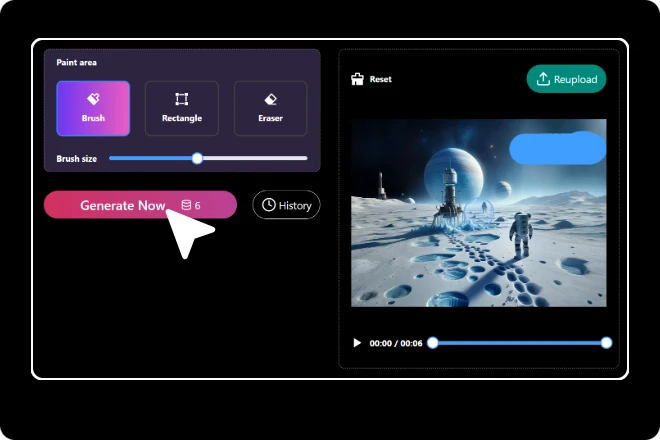
Step 2. Select the watermark area
Use your cursor to mark the watermark or logo you’d like to remove. Whether it’s a fixed corner logo or a moving overlay, the AI will detect and clean it precisely.

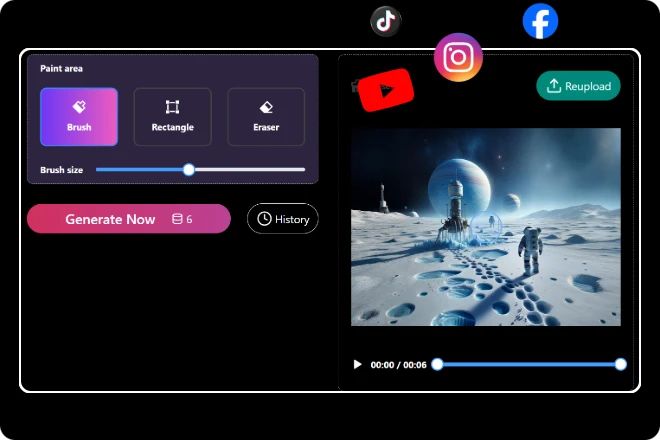
Step 3. Generate and Download
Click “Remove” and let the AI do its magic. In just seconds, you’ll get a clean, watermark-free video. Preview it instantly, then download and share anywhere.

Bye-Bye Logos, Hello Freedom
Ever feel like watermarks are gatecrashers at your video party? With ImageMover, you can remove watermark from video in just a few clicks. No messy editing, no complicated tools—just pure creative freedom. Whether it’s a timestamp, a brand logo, or text that doesn’t belong, your videos stay yours, clean and distraction-free.
Polish Your Video, Impress Your Audience
A small watermark can steal big attention. That’s why our tool makes it effortless to remove watermark from video and restore your content’s true impact. Perfect for creators, businesses, or anyone who values clean visuals, this feature helps you deliver videos that look sharp, professional, and ready to shine on any platform.


Your Shortcut to Clean, Share-Ready Clips
Why let a watermark ruin your moment in the spotlight? With ImageMover’s tool, you can remove watermark from video instantly and get clips that are polished and shareable. No need to be a pro editor—our AI does the heavy lifting so you can focus on storytelling, not scrubbing pixels.
What Makes Our Tool a Game-Changer
01
Erase in Seconds
No complicated setup. Just upload, highlight the watermark, and watch it vanish almost instantly.
02
Keep Video Quality Intact
Say goodbye to blurry patches—your videos remain sharp, smooth, and share-ready.
03
Works on Any Watermark
Logos, timestamps, text, or random marks—whatever the distraction, we can handle it.
04
Save Time, Stay Creative
Spend less time fixing flaws and more time focusing on your story, brand, or message.
05
AI-Powered Precision
Our smart detection ensures only the watermark disappears, while the rest of your video stays flawless.
06
Accessible Anytime, Anywhere
100% online. No downloads, no heavy software, just fast results at your fingertips.

The Many Ways to Enjoy Clean, Watermark-Free Videos
From casual creators to business pros, here are eight common ways to remove watermark from video and keep content clean.
What Our Customers Say
Real stories, real results—see how users rely on ImageMover to remove watermark from video with ease.
As a lifestyle vlogger, I often download clips to spice up my edits. The watermarks used to ruin the vibe. With ImageMover, I can remove watermark from video in seconds and keep my content fresh and authentic.
Amelia Brooks
I run ads for small businesses, and clean visuals are a must. This tool not only erased logos perfectly but also maintained video quality—no blurry spots. It saved me hours compared to manual editing.
Jason Miller
Posting on TikTok is all about speed. Having a tool that can remove watermark from video quickly means I don’t miss trends. It’s become a must-have in my daily workflow.
Noah Patel
Frequently Asked Questions

What video formats are supported?
Our tool supports MP4, MOV, M4V, and AVI, which cover over 90% of the videos shared on social media and websites. If your video is in a less common format, you can easily convert it online before uploading.
Will removing the watermark damage video quality?
No—our AI is trained to replace only the watermark pixels while keeping the background intact. Unlike basic blur tools that leave visible smudges, the output video retains its original resolution and smooth playback.
How long does it take to remove a watermark?
No—our AI is trained to replace only the watermark pixels while keeping the background intact. Unlike basic blur tools that leave visible smudges, the output video retains its original resolution and smooth playback.
Can I remove watermarks from multiple videos at once?
Currently, you can process one video at a time to ensure the best precision. Many users simply queue up their files and process them one after another—it’s still faster than traditional editing software.
Does it work on both static and moving watermarks?
Yes. Whether it’s a logo stuck in the corner or a watermark that moves across the screen, the AI adapts to both cases. It tracks motion and ensures the removed area blends naturally with the background.
Can I use it on mobile devices?
Definitely. The remover is optimized for both iOS and Android browsers. You can upload from your phone’s gallery, process the video, and save the result directly back to your device without any extra apps.
Is there a limit on file size or video length?
Most videos under 500MB upload smoothly. For longer or higher-resolution videos, we recommend compressing them first to speed up the process. The output video will still maintain high quality after the watermark is gone.

ImageMover.ai
Clean Videos, Endless Possibilities
With ImageMover, you can remove watermark from video effortlessly and let your stories shine without distractions. Whether you’re a creator, a business, or just sharing for fun, enjoy polished, watermark-free clips that are ready to impress everywhere.